
To budget for your 2027 fence project, we recommend starting with measured fence runs, gate needs, and a written scope, not a price alone.
This Q4, we’ll help you pull together six parts of your request:
- Site details: Fence lengths in linear feet, removal, ground conditions, and access limits.
- Height and materials: Choices for each area based on screening, security, or appearance.
- Gates: Opening widths, users, automation, and safety needs.
- Permits and engineering: Required documents, costs, and who handles each item.
- Budget and approval: An estimate with clear exclusions, a budget owner, and target dates.
- Tax review: Questions for your tax professional about a new fence, replacement, or repair.
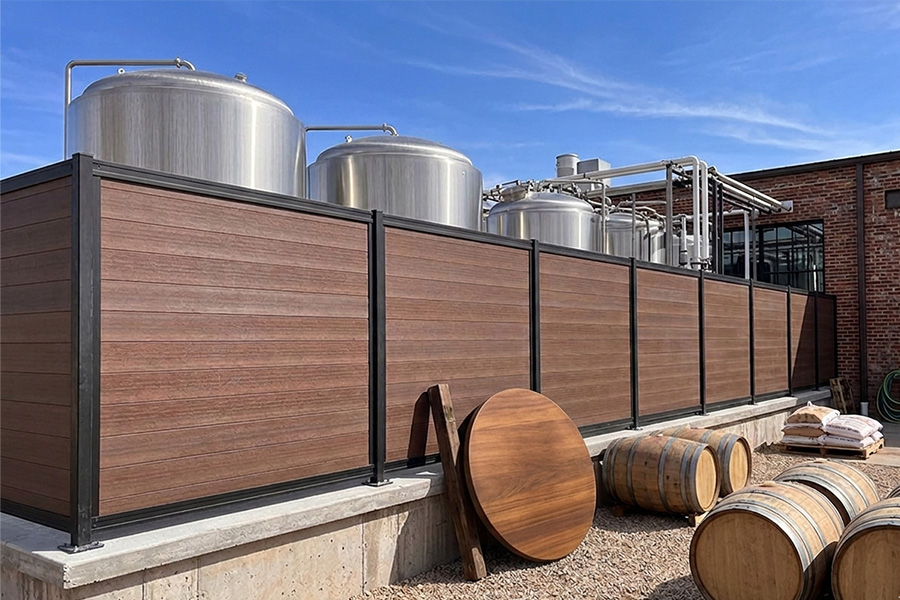
Our starting rule: keep confirmed facts separate from open questions, and label early pricing as a budgetary estimate.
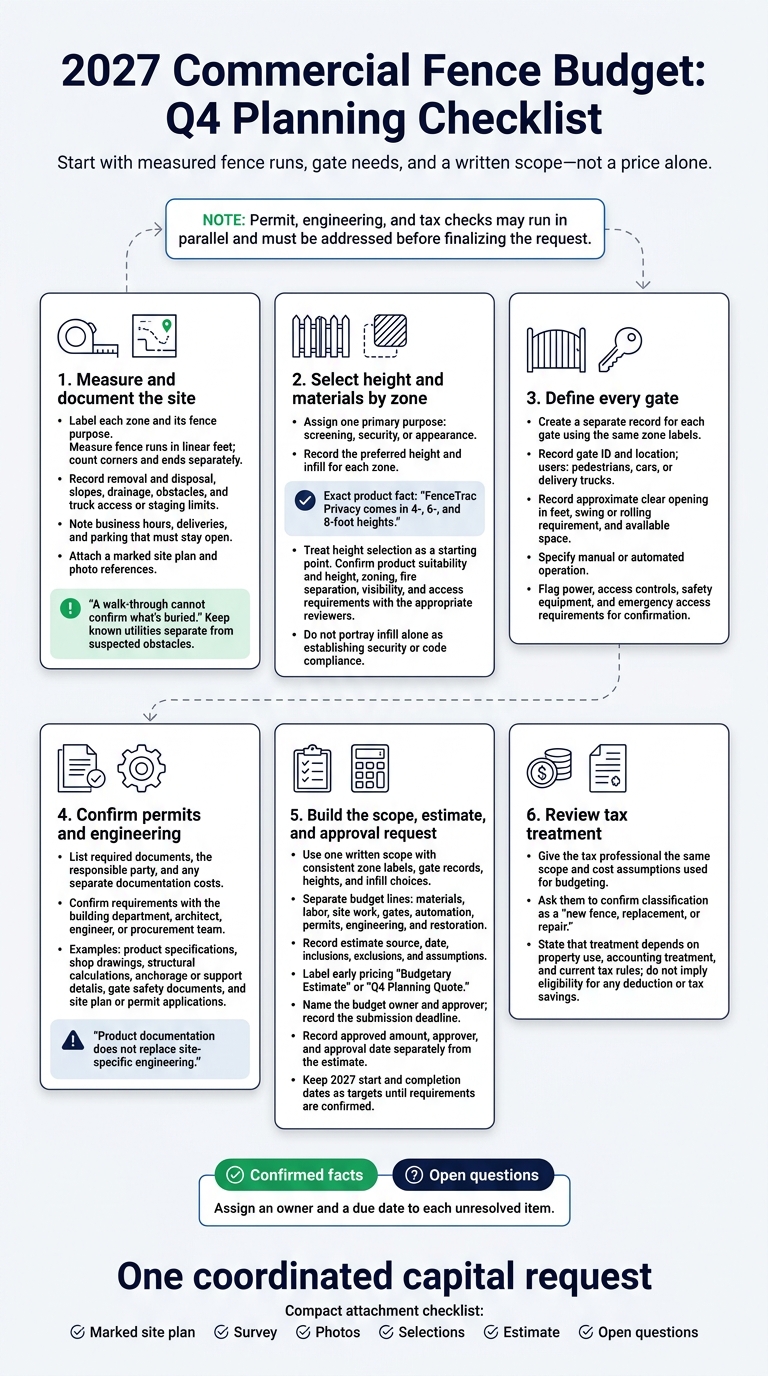
2027 Commercial Fence Budget: Q4 Planning Checklist
Measure Fence Runs and Check Site Conditions
Bring a measuring tape or wheel, your marked site plan, a camera, and notes.
We’ll use your measurements and site notes to prepare the budget request. Use the same zone labels for the gate records below.
| Field | Site notes |
|---|---|
| Zone name and fence purpose | __________ |
| Fence run length, in linear feet | __________ |
| Corners and ends, counted separately | __________ |
| Existing fence removal and disposal needs | __________ |
| Slopes and changes in elevation | __________ |
| Drainage concerns | __________ |
| Obstacles, visible roots, rock, and known utilities | __________ |
| Truck access and staging limits | __________ |
| Business hours, deliveries, and parking that must stay open | __________ |
| Photo references and open items | __________ |
Record known utilities separately from suspected obstacles. A walk-through cannot confirm what’s buried.
Count Gates and Record Access Needs
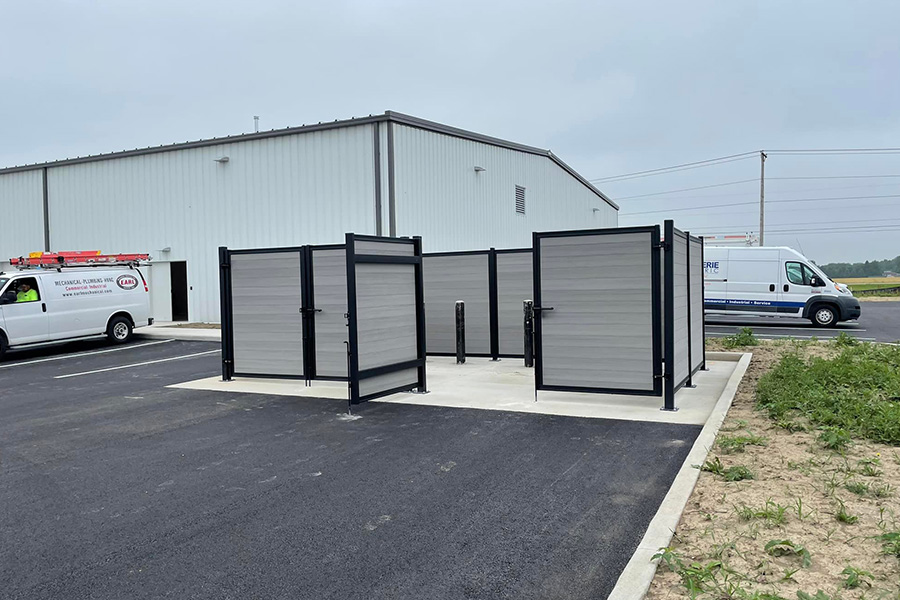
Create a separate record for each gate, even if several serve the same zone.
Before you ask for pricing, note who uses each gate and what needs to pass through it.
| Gate field | Site notes |
|---|---|
| Gate ID and location | __________ |
| Users: pedestrians, cars, or delivery trucks | __________ |
| Approximate clear opening, in feet | __________ |
| Swing or rolling requirement and available space | __________ |
| Manual or automated | __________ |
| Power, access controls, and safety equipment to confirm | __________ |
| Emergency access requirements to confirm | __________ |
| Site-plan label and photo references | __________ |
Keep these gate records with your site plan for the budget request that follows.
sbb-itb-908b3eb
Choose Fence Height and Infill by Purpose
Use your site-walk zone notes to choose fence height and infill, giving each zone one primary job: screening, security, or appearance.
For screening, note what you need to hide and from which directions. For security, identify where you still need visibility.
On shared boundaries, record whether both sides need a finished look.
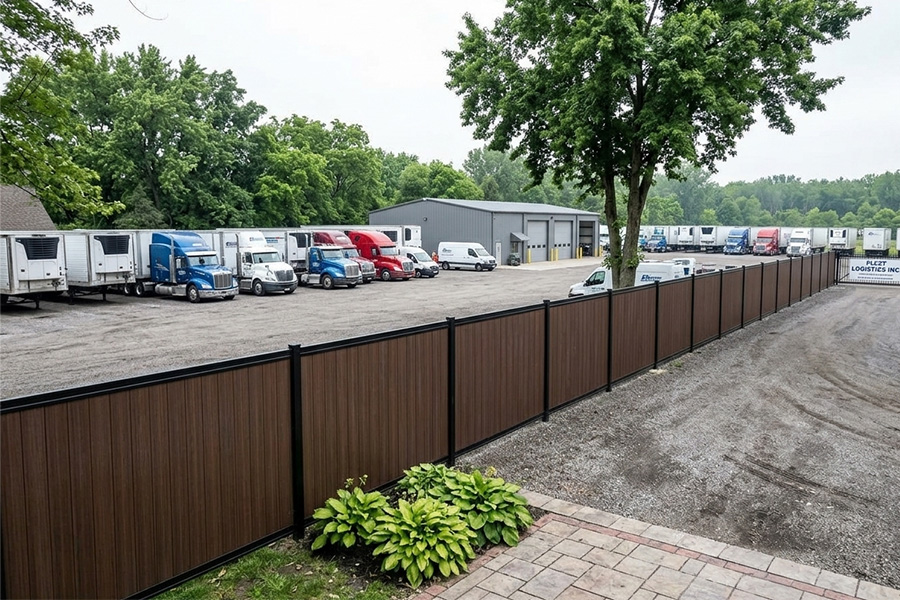
FenceTrac Privacy comes in 4-, 6-, and 8-foot heights. Treat your height selection as a starting point, not a final decision.
Before you finalize the budget, review height, zoning, fire separation, visibility, and access requirements with your building department. Confirm product suitability with both the FenceTrac team and your building department.
Your height and infill choices set the scope we’ll use for budgeting.

Compare Infill and Open-Rail Options
Review FenceTrac infill options zone by zone instead of choosing one material for the whole property.
Record your preferred material and any unanswered questions in the scope.
| Option | Use case | Budget input | Confirm before budgeting |
|---|---|---|---|
| LuxeCore aluminum-core composite | Privacy and street-facing appearance | Wood-free infill selection | Color and suitability |
| UltraBlend PVC | Privacy screening | PVC infill selection | Color and suitability |
| Aluminum infill | Utility screening or semi-privacy | Infill spacing | Visibility and fire requirements |
| Metal Board & Batten | Architectural screening | Board-and-batten appearance | Finish and local appearance rules |
| OmniView welded wire | Service areas needing visibility | Welded wire infill selection | Mesh details and security requirements |
| Cedar | Natural wood appearance | Staining and upkeep | Maintenance needs |
| HighPlains | Boundary without solid screening | Separate aluminum post-and-rail system, not FenceTrac infill | Whether HighPlains fits the use |
Carry your zone choices into the written scope and budget estimate that follow.
Infill alone doesn’t establish security or code compliance. Review the proposed height, complete assembly, and access requirements together.

Write the Project Scope for Your Budget
Once you’ve selected run lengths, gates, and infill, put them into one scope that everyone prices and approves.
Keep the same zone labels, gate records, height, and infill choices throughout the scope.
Paste this template into your 2027 capital request, and mark unresolved details as “pending confirmation.”
Project name: Property address and work area: Business purpose: Total fence length, in linear feet: By zone: footage, height, and selected infill: Gates: quantity, location, opening, users, and manual or automated: Existing fence removal and disposal: Site work and restoration: Access constraints: business hours, deliveries, and truck access: Permit status and person responsible: Engineering documents needed and person responsible: Requested amount: $_____ or estimate pending Estimate source, date, inclusions, exclusions: Target start and completion for 2027: Open questions, assigned owners, and confirmation dates: Submit your scope through FenceTrac’s Price My Fence tool to request a quote.
Label early numbers as Budgetary Estimate or Q4 Planning Quote, and record the assumptions behind them.

Separate Costs and Assign Budget Approval
Split the scope into separate budget lines, each with a pricing owner, so no cost goes unassigned.
Use the 2026 FenceTrac fence cost and pricing guide to understand cost drivers, not to set project-specific pricing.
Assign one budget owner and approval path, stating who gathers estimates, who reviews the scope, and who approves spending.
Before you finalize the request, resolve or clearly flag ground conditions, utility locations, permit requirements, and gate automation needs.
Record the approved amount, approver, and approval date separately from the estimate.
Keep 2027 dates as targets until requirements are confirmed, and use the same scope for tax review, engineering, and bid requests.
Check Tax Treatment With Your Tax Professional
Use the same scope and cost assumptions as your budget request.
Tax treatment depends on property use, accounting treatment, and current tax rules.
Before you finalize the capital request, review FenceTrac’s commercial fence tax guidance with your tax professional and ask them to confirm whether the project is classified as a new fence, replacement, or repair.

Request Engineering Documents for Permits and Bids
If your project needs permits or will go out for bids, list the documents reviewers will request before you finalize the budget.
Confirm requirements with your building department, architect, engineer, or procurement team so your capital request includes documentation costs.
List Required Documents and Who Supplies Them
Use this table as a request list only.
| Document to confirm | Responsible party to contact |
|---|---|
| Product specifications for frame, post, and infill details | FenceTrac |
| Architect-ready specification sheet | FenceTrac |
| Gate hardware and automation safety documents | FenceTrac for hardware; gate motor manufacturer for automation |
| Shop drawings | FenceTrac or architect |
| Structural calculations or product performance data | Project engineer for site-specific calculations; FenceTrac for product data |
| Anchorage or support details | Project engineer, using manufacturer information |
| Warranty documents and installation instructions | FenceTrac |
| Site plan and permit or variance applications | Owner or facilities manager, coordinating with architect or general contractor |
Mark which documents you have and which still need outside work or approval.
Product documentation does not replace site-specific engineering, so ask your engineer to identify the calculations or support details your project requires.
Follow FenceTrac’s guidance on requesting engineering documentation for a commercial fencing bid.
Send FenceTrac your document list and the same scope you used for budgeting, then confirm what’s available before calling the bid package complete.
Have procurement price any separate documentation costs before you approve the capital request.
Use this list to build the checklist below.

Copy the Q4 Fence Budget Checklist
Copy this checklist into your 2027 capital request. Assign an owner and a due date to each unresolved item.
- [ ] Business problem: Explain why the current fence doesn’t meet your site’s needs.
- [ ] Zones: Label street frontage, common areas, and service areas on the site plan.
- [ ] Measurements: Record each fence run and the total linear footage.
- [ ] Corners and transitions: Mark turns, slopes, swales, and driveway sightlines.
- [ ] Removal and restoration: Include old posts, concrete removal, haul-off, clearing, and surface repairs.
- [ ] Site conditions: Note drainage, rock, roots, buried debris, and truck access.
- [ ] Gates: Record the gate count, opening widths, users, and whether each gate will be manual or automated.
- [ ] Height and infill: Record your selected height and infill for each zone.
- [ ] Project goals: Link each selection to screening, security, appearance, or traffic guidance.
- [ ] Permits and access: Confirm building department requirements. Record boundaries, easements, who handles utility locating, and access hours.
- [ ] Engineering: Track required documents, who’s responsible, and any unresolved costs.
- [ ] Budget categories: Separate materials, labor, site work, gates, automation, permits, engineering, and restoration.
- [ ] Estimate: Submit your measured scope through the Price My Fence tool, then identify costs the quote doesn’t include.
- [ ] Approval ownership: Name the request owner and approver, and record the submission deadline.
- [ ] Keep copies: Attach the marked site plan, survey, photos, selections, estimate, and open questions.
Review FenceTrac pricing information before you submit your request.

FAQs
How should I budget for unknown site conditions?
Budget for site conditions with separate line items, not one lump-sum estimate.
During your site walk, assess the existing perimeter to decide whether you need a full replacement or a phased upgrade.
Break out demolition and disposal, materials, concrete and structural footings, installation labor, permit fees, and site restoration so your finance department has a clearly defined budget to review.
When should I update my budgetary fence estimate?
Update your preliminary fence estimate as you confirm the project scope, site measurements, gate requirements, permits, installation labor, and restoration costs.
If you change the fence height, infill, or plan for full replacement versus phased work, revise the estimate so your capital budget covers the full project scope.
Can I phase my fence project across budget years?
Yes. Define the full project scope early, then request detailed quotes for each phase so you can plan for costs in each budget year.
Include site conditions, permit requirements, gates and automation, old fence removal, possible drainage work, and long-term maintenance costs.
Related Blog Posts
- How to Write Fencing Into a Commercial RFP or Bid Package
- Commercial Fence Repair or Replacement: The Decision Framework Property Managers Use
- Commercial Gate Planning: Fire Access, Emergency Egress, and the Gate Nobody Budgeted For
- What a Fence Warranty Actually Covers: Reading the Fine Print Before a Commercial Purchase